Advertisement

Home › Work

10 space-saving picks for a home office in a corner

By the PickWise team · Updated November 2026 · 9 min read

Could that empty corner fit a proper desk? We compared corner desks, wall-mounted desks and space-saving extras for small home offices.

The 10 at a glance

#PickTypeSizeGood for
1VECELO Corner Computer DeskBest corner deskTriangle desk41 x 30 inTight corners
2Pamray 40-Inch L-Shaped DeskBest small L-shaped deskL-shaped desk40 inLaptop plus monitor
3Mount-It L-Shaped Standing Corner DeskBest standing corner deskElectric sit-standCheck listingSitting and standing
4Manhattan Comfort Bradley Floating Corner DeskBest wall-mountedFloating deskCheck listingNo floor space
5Winsome LISO Corner DeskBest extra-smallSmall corner deskCheck listingLaptop only
6Ergotron LX Monitor ArmBest for screen spaceMonitor armClamps to deskShallow desks
7BenQ ScreenBar Halo 2Best corner lightingMonitor light barSits on the monitorDark corners
8Steelcase Series 1Best compact chairErgonomic chairCompactSmall rooms
9IKEA SIGNUM Cable ManagementBest cable tidyUnder-desk cable trayFits under most desksTidy cables
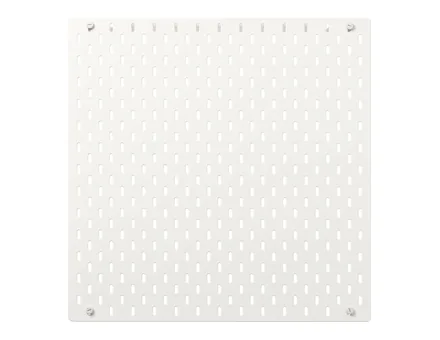
10IKEA SKÅDIS PegboardBest wall storagePegboardSeveral sizesStorage above the desk
VECELO Corner Computer Desk1

Best corner desk

VECELO Corner Computer Desk

Type: Triangle deskSize: 41 x 30 inGood for: Tight corners

Suits: Small rooms where a straight desk would block the door or walkway.

Good to know: It tucks into the corner and has a keyboard tray and two shelves.

Pros

  • Fits snugly in a corner
  • Keyboard tray and shelves
  • Low price

Cons

  • Limited legroom
  • Not for two monitors
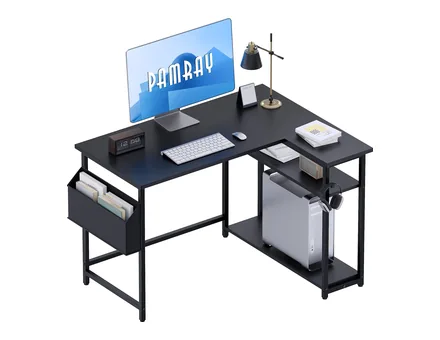
Pamray 40-Inch L-Shaped Desk2

Best small L-shaped desk

Pamray 40-Inch L-Shaped Desk

Type: L-shaped deskSize: 40 inGood for: Laptop plus monitor

Suits: People who want two work zones, such as a laptop and a notebook, in a small corner.

Good to know: Its side shelves can go on either side, so it fits a left or right corner.

Pros

  • Two work zones
  • Reversible shelves
  • Small footprint

Cons

  • Assembly takes time
  • Short return
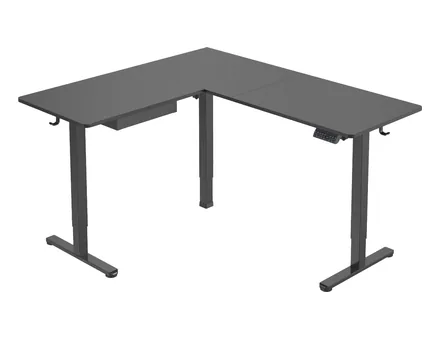
Mount-It L-Shaped Standing Corner Desk3

Best standing corner desk

Mount-It L-Shaped Standing Corner Desk

Type: Electric sit-standSize: Check listingGood for: Sitting and standing

Suits: Anyone who wants to stand for part of the day without losing the corner layout.

Good to know: An L-shaped electric desk that raises up to about 47 inches.

Pros

  • Sit or stand
  • Corner layout
  • Electric height

Cons

  • Bigger footprint
  • Pricier
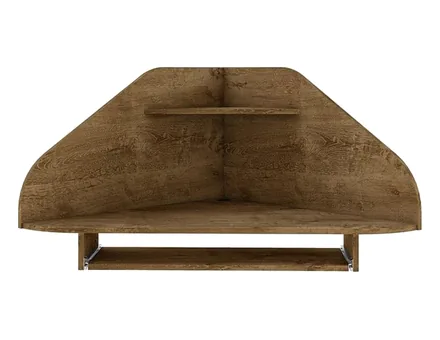
Manhattan Comfort Bradley Floating Corner Desk4

Best wall-mounted

Manhattan Comfort Bradley Floating Corner Desk

Type: Floating deskSize: Check listingGood for: No floor space

Suits: Rooms where floor space matters, or that double as a bedroom.

Good to know: It mounts on the wall, with a shelf and a sliding keyboard tray.

Pros

  • No legs or floor space
  • Keyboard tray
  • Clean look

Cons

  • Needs solid wall fixings
  • Can't move it easily
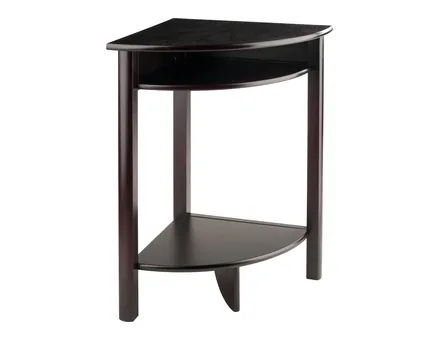
Winsome LISO Corner Desk5

Best extra-small

Winsome LISO Corner Desk

Type: Small corner deskSize: Check listingGood for: Laptop only

Suits: Laptop-only setups in the smallest spaces.

Good to know: A very compact desk with two open shelves.

Pros

  • Very small
  • Low price
  • Open shelves

Cons

  • Laptop only
  • Little legroom
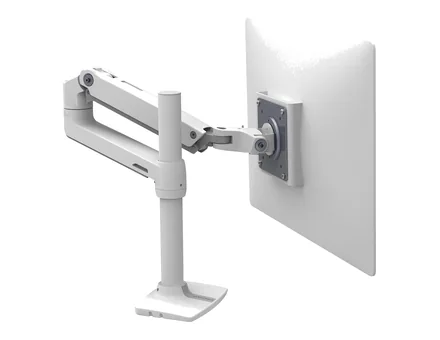
Ergotron LX Monitor Arm6

Best for screen space

Ergotron LX Monitor Arm

Type: Monitor armSize: Clamps to deskGood for: Shallow desks

Suits: Corner desks that aren't deep enough for a monitor on a stand.

Good to know: It floats the screen over the desk, freeing up depth for your keyboard.

Pros

  • Frees up desk depth
  • Easy to adjust
  • Gets the screen to eye level

Cons

  • Needs a clamp-friendly desk
  • Check monitor weight
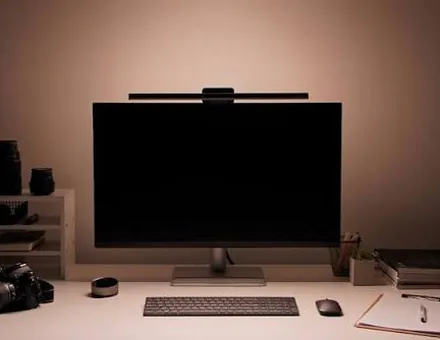
BenQ ScreenBar Halo 27

Best corner lighting

BenQ ScreenBar Halo 2

Type: Monitor light barSize: Sits on the monitorGood for: Dark corners

Suits: Corners that get little daylight, especially in the evening.

Good to know: It lights the desk without glare on the screen and takes up no desk space.

Pros

  • No screen glare
  • No desk space used
  • Adjustable warmth

Cons

  • Pricey
  • Doesn't light the whole room
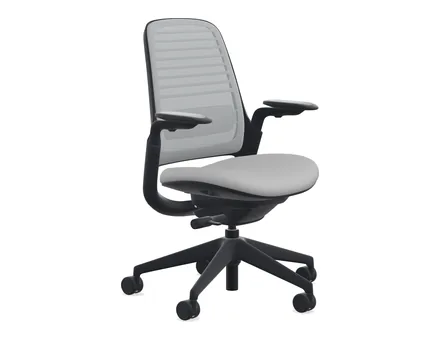
Steelcase Series 18

Best compact chair

Steelcase Series 1

Type: Ergonomic chairSize: CompactGood for: Small rooms

Suits: Small rooms that need a proper ergonomic chair without a bulky one.

Good to know: A lighter, more compact Steelcase with adjustable support.

Pros

  • Compact for an ergonomic chair
  • Adjustable support
  • Trusted brand

Cons

  • Pricier than budget chairs
  • Firm seat for some
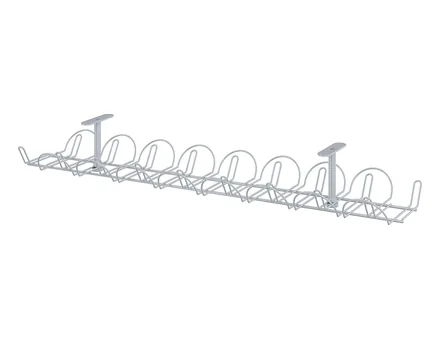
IKEA SIGNUM Cable Management9

Best cable tidy

IKEA SIGNUM Cable Management

Type: Under-desk cable traySize: Fits under most desksGood for: Tidy cables

Suits: Corners where cables trail across two walls.

Good to know: It holds a power strip and cables under the desk, off the floor.

Pros

  • Cables off the floor
  • Low price
  • Easy to fit

Cons

  • Needs screws
  • Only holds so much
IKEA SKÅDIS Pegboard10

Best wall storage

IKEA SKÅDIS Pegboard

Type: PegboardSize: Several sizesGood for: Storage above the desk

Suits: Small desks with no room for drawers.

Good to know: Hooks, shelves and containers clip on, so you can store things on the wall.

Pros

  • Uses wall space
  • Flexible layout
  • Low price

Cons

  • Needs wall fixings
  • Accessories cost extra

Advertisement

Advertisement

Buying guide

How to set up a home office in a corner

Six steps to fit a proper workspace into an awkward corner.

Space to leave clear

General guidance. Measure your own room before you buy.

Chair spaceBehind the deskAbout 36 in
Desk depthFor a laptop20 in or more
Desk depthFor a monitor24 in or more
Door swingKeep it clearMeasure it
01

Measure the corner first

Measure both walls, the door swing and any radiators or windows. Mark where the sockets are, so cables don't trail across the room.

02

Pick the right desk shape

Triangle desks fit tight corners. L-shaped desks give two work zones but need more floor. Wall-mounted desks free up the floor completely.

03

Leave room for the chair

You need space behind the desk to pull your chair out and stand up. Aim for about three feet if you can.

04

Light the corner

Corners are often the darkest part of a room. Add a monitor light bar or a lamp, and avoid having a window directly behind your screen.

05

Plan power and cables

Use an under-desk cable tray and a power strip so cables stay off the floor and away from your feet.

06

Go up, not out

Use the wall for storage with a pegboard or shelves. A monitor arm saves desk depth on shallow corner desks.

Frequently asked questions

Is a corner desk good for a small room?

Yes. It uses space that's often wasted and keeps the middle of the room clear.

Can I fit two monitors on a corner desk?

On an L-shaped desk, usually. On a small triangle desk, one monitor on an arm is more realistic.

How deep should a desk be for a monitor?

Around 24 inches or more lets you sit a comfortable distance from the screen. A monitor arm helps on shallower desks.

Are wall-mounted desks strong enough?

Yes, if they're fixed into studs or solid walls with the right fixings. Check the weight limit before you load it up.

How do I light a dark corner office?

Use a monitor light bar or desk lamp, and face a window or light source on video calls.

Which way should a corner desk face?

Facing into the corner saves space but can feel closed in. If you can, put the screen side-on to a window.

Bonus download

Get the corner office room planner

  • All 10 picks side by side
  • How much space to leave clear
  • A scaled room grid to plan your corner
Your PDF downloads straight after the ad

More lists